How to write better tasks
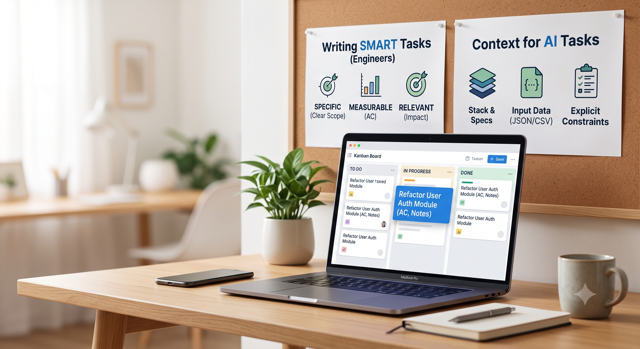
"If you can properly define the task, the issue is solved at 50%."
I heard this sentence early in my career from one of my mentors. At the time, I thought it was just another phrase that just sounded good.
Years later, I realized how true it was.
As a junior engineer, I was lucky to work with a team that wrote clear tasks. Every ticket explained the problem, the expected result, and how to know when the work was done. I didn't appreciate how valuable this was until I moved to a project that did the exact opposite.
The tasks there were vague. Some tasks for example - nobody knew why they even existed. Requirements changed halfway through the work, and the team spent more time playing detective than writing code.
That's when it clicked: good tasks don't just save time—they protect the team's sanity.
And today, in the era of AI, this matters more than ever. Whether the work is done by a human engineer or an AI agent, the quality of the output depends entirely on the quality of the instructions. If you feed an AI a vague prompt, it returns a vague solution. But if you give it clear instructions, it delivers accurate results much faster, leaving almost no room for mistakes.
Why Good Tasks Matter
A well-defined task acts as a shared map for the entire team. It bridges the gap between what a business needs and what a developer builds. When a task is clear, it improves the workflow for everyone:
- Developers understand exactly what code to write without guessing.
- Testers know precisely what parts to check to find bugs.
- Product Owners get exactly the feature they expected.
- AI Tools generate highly accurate code instead of generic text.
The SMART Framework
One of the easiest ways to upgrade your tickets is to make them SMART. This simple checklist ensures your tasks contain actual data instead of vague ideas.
| Principle | What It Means | ❌ Poor Example | ✅ Better Example |
|---|---|---|---|
| Specific | Describe the exact change clearly. | Improve the login page. | Add a "Forgot Password" link below the Login button. |
| Measurable | Give a clear way to count or verify success. | Make the page faster. | Reduce page loading time from 4s to under 2s. |
| Achievable | Keep it realistic for the time you have. | Rewrite the entire app this week. | Fix the password reset button on the profile page. |
| Relevant | Explain why this work is important. | Add another chart. | Add a chart for managers to track monthly item sales. |
| Time-bound | Set a clear deadline or time limit. | Finish this sometime soon. | Deliver this feature by the end of the current two-week cycle. |
The goal isn't to write longer tickets. The goal is to eliminate confusion.
The 5 Questions Every Task Must Answer
Effective tasks always answer these five simple questions:
- What is the problem? (e.g., Users cannot reset forgotten passwords.)
- Why does it matter? (e.g., They clog up customer support lines to reset accounts.)
- What should be built? (e.g., A password reset email system.)
- How do we know it's done? (Clear acceptance criteria like: link is visible, email sends, errors handle gracefully.)
- Are there any limitations? (e.g., Must use the existing email provider; must be done by Friday.)
A Before-and-After Example
Instead of a lazy title like this:
Ticket: Add password reset.
Spend two minutes to write this:
Title: Add self-service password reset functionality

[Problem]
Users currently have no way to recover forgotten passwords, leading to high support volume.

[Expected Result]
Users can securely request a password reset email and set a new password.

[Acceptance Criteria]
- "Forgot Password" link is visible below the login button.
- Reset email is successfully triggered.
- Invalid email addresses show a generic security-safe error message.

[Definition of Done]
- Feature is deployed to the testing environment.
- All automated tests pass.
- Documentation is updated.
How This Improves the Process
When you invest five minutes upfront to write a great task, you trigger a positive chain reaction across the entire project lifecycle. Here is a simple look at how clarity transforms the process:
 Flowchart Text Description:
- Path 1: Vague Task → Confusion → Constant Messaging → Rework → Delayed Release
- Path 2: Clear Task → Understanding → Focused Work → Quick Verification → Fast Delivery
By spending a little time at the start, you eliminate the loops of endless questions and fixing mistakes, leading to a much smoother and faster path to delivery.
The "AI-Generated" Trap
However, there is a modern twist to this problem. With the rise of AI assistants, it has become incredibly easy to generate massive, detailed-looking tickets in seconds. But there is a catch: you can smell a lazy AI-generated ticket from a mile away.
What you often get is a wall of generic paragraphs that look professional at a glance but are completely hollow underneath. They use all the right buzzwords but fail to specify the actual technical boundaries or concrete acceptance criteria.
AI is an incredible tool for structuring your thoughts, but it cannot replace human intent. If you don't anchor the prompt with real context and constraints, the AI just rambles.
How to Remember This: The "Chef" Method
To easily remember how to write a great task, picture yourself as a Chef writing a recipe for a kitchen assistant (or a cooking robot).
If you just write "Make a cake," you might get a chocolate cake when you wanted vanilla, or it might be big enough to feed fifty people instead of four.
Instead, you use the Recipe Mindset:
- The Dish (Specific): Chocolate Éclair Cake.
- The Amount (Measurable): One 20 cm. cake for 4 people.
- The Steps (Achievable): Mix ingredients, bake at 180°C for 30 minutes.
- The Purpose (Relevant): For a birthday party tonight.
- The Timing (Time-bound): Must be ready by 6:00 PM.
Think like a chef before creating a ticket. Whether a human or an AI reads your recipe, they will know exactly what to cook.
Key Takeaways
- Writing tasks is real engineering work: It is not just boring paperwork; it is the blueprint of your software.
- Garbage in, garbage out: Clear tasks help both humans and AI produce vastly superior results with fewer bugs.
- The 5-minute rule: Spending five extra minutes writing a clear task can save days of downstream confusion and rework.
Before you hit "Create Ticket" on your next task, ask yourself: If I handed this to a total stranger—or an AI assistant—would they build exactly what I'm picturing?
Because sometimes, the difference between a two-day fix and a two-week headache is simply how the task was written.